Getting Started Guide

    Set up your PMS, train policies, and control AI automation for guest messaging.

    Getting Started: Onboarding Guide

    Follow these steps to quickly set up primehost.ai and start automating your vacation rental operations.

    Connect Your Property Management System

    The first step is to integrate primehost.ai with your existing PMS (Guesty, Hostaway, Hostify, etc.). This connection allows our AI to access your property data, reservations, past conversations and guest information automatically.

    Hostaway property management system integration with primehost.ai for short term rental automationGuesty property management system integration with primehost.ai for vacation rental guest messagingHostify property management system integration with primehost.ai for Airbnb automationHosthub channel manager integration with primehost.ai co-host for rental automation
    Lodgify vacation rental software integration with primehost.ai for automated guest communication
    Hostfully property management platform integration with primehost.ai for short term rental automation
    Navigate to Settings → Integrations
    Select your PMS provider from the list
    Follow the authentication prompts to authorize the connection
    Wait for initial data sync (usually takes 2-5 minutes)
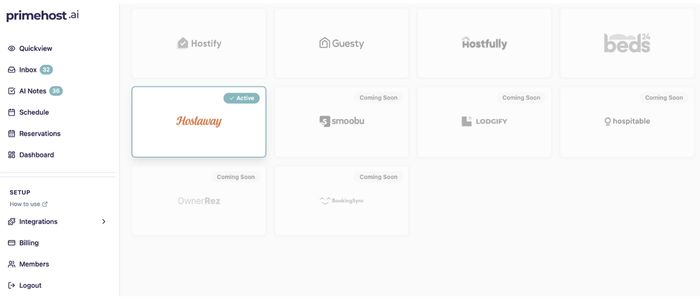
    primehost.ai PMS integration dashboard showing connected property management systems and data sync status for vacation rentals

    Frequently Asked Questions

    Find answers to common questions about primehost.ai